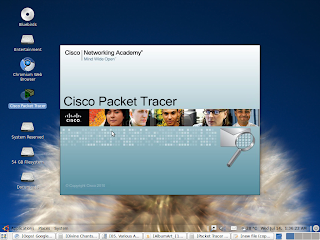
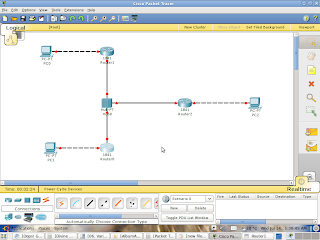
All fed up with windows.. 98, ME, 2000, XP, Vista and hell. Born and brought up with windows, were I. I din feel Windows boring, in spite of whatever freezes and crashes i ever faced wid Win-do(se)ws. Ignorance took over me to windows. I knew something good than Windows doesn't exists, rite frm my 8th std., the time we bought a PC. In fact, i was familiar about something called Linux, Red-Hat Linux but din want to know about it much in those young days cos i heard people saying it was all about codes.. U can't access the PC without knowing atleast a few basics of coding. Well, what else could i do, when i din have anyother option left other than the unopened curtains of Windows? Continued with it... Moreover, i still love billy very much.. for his hard-works, for his personality, his specs (i love the way he adjusts his glasses), his hairstyle etc etc. I hardly remember if i had missed any TV shows where Bill was the hero. Well, i know this would be a silly excuse for using windows ;) but i din't really wanna crash my PC, trying something new. Never, now! To say, am out of the doors or windows.. with something called Ubuntu.

Ubuntu:
Ubuntu is, as said earlier, a really powerful operating system, which is based on Linux. Advantages are heaven in Ubuntu. Right from the desktop to the backend of database management, Ubuntu can be powerfully used. More with GUI as user Interactions, one can use Ubuntu, without even knowing what a Terminal is! Btw, terminal is a note pad like thing where u can ask ubuntu to do ur desired stuff like application installing etc (apt-get install, is the code). Something similar to Run/cmd/command in Windows, but million times powerful than that. Ubuntu is a freeware, open source OS. Canonical Systems, the coders of Ubuntu has given a Public Licence to it. Look at this! You need to pay thousands of bucks for a crap, where later u would probably have to do an updation of hardware components, because the crap you got did not detect them. Whilst, you get the most powerful distro free and pay nothing else other than some time to order a CD in Ubuntu's official website. And yeah.. coming back to Linux.. there is one thing people always confuse with. (even did i :p)

Linux:
Linux, first of all, as many consider, is not an Operating System. Precisely, its just the base of the operating System, over which the original OS is built. say, to compare with Windows, Windows runs on a base called 'Kernel'. Over kernel, is built the actual OS, be it Xp or Vista or whatsoever. Similarly, Linux is the base on which OS's like Red-Hat, Ubuntu and such. The most popular GUI's used in Linux includes KDE, GNOME etc. Both uses different types of GUI and gives different interfaces and appearance. Linux is named after Linus Torvalds, the inventor of this powerful kernel. Linux is very powerful at servers and can be installed with mainframe to super computers and operates with command line processing. Well, thats actually history. The Ubuntu distro has made Linux a fruitful experience to a common man who doesn even knows the A's of coding.
Why Ubuntu?:
I use Ubuntu right now.. I ll mention a few advantages... I don wanna compare it with Windows and waste time...
1. High speed. My PC starts up within a matter of 10 seconds.
2. Highly customizable. I don find any walls as in the former. All the Windows are open wide.
3. Adding and Removing programs are never made much easier. 4. A manager which can detect all the applications in your system, do updates promptly, with which you can just install any applications ever available for Ubuntu. U don really have to go bugging websites and take pain in downloading torrents.
5. Security options. No one can use even a partition of my hard-disk without my password.
6. No Freezing points.. I ve been using ubuntu for atleast 2 months from now and i rarely or never experienced any crashes. My PC is now a good boy :p.
7. Virus free.
8. Multiple options to operate the System.. GUI or Terminal, which maybe effective sometimes.
9. No drivers necessary.
10. I got it for Free!!
_______________________________________________
all the best.